Mini Legends Idle AFK Farming and Overnight Setup
Park your hero where auto-combat still prints value while you step away.
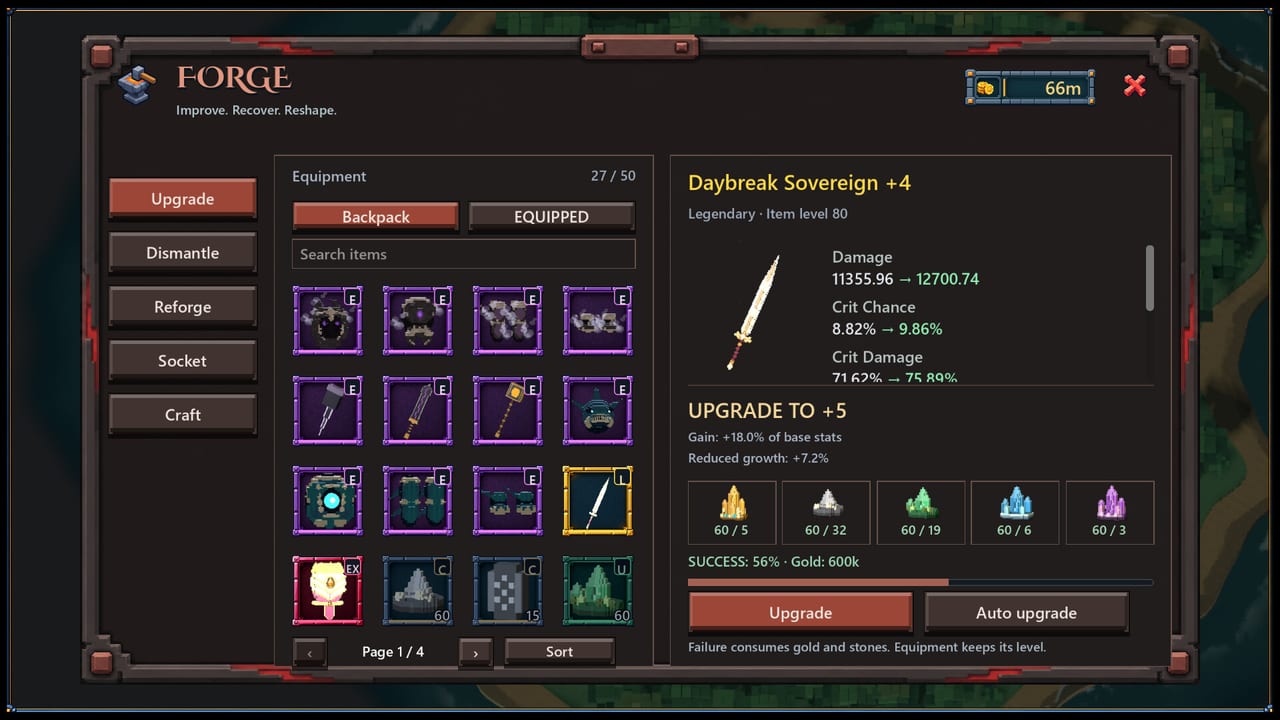
Mini Legends Idle is built for desktop companion play: choose a zone, configure gear and potions, then let auto-combat work while you do something else. Reysher Games released this free-to-play voxel idle RPG on Steam for Windows on November 18, 2026 with persistent online requirements, so AFK farming still needs a live connection and a signed-in Steam account. This guide covers safe AFK setup, potion automation, overnight zone choice, and the checklist you should run when you return to the keyboard.
What AFK means in this game
AFK here does not mean offline progress with the client closed. It means the game keeps running — often in the background — while your hero fights automatically. You still need broadband, OpenGL-capable hardware that meets the Steam listing, and a machine that will not sleep mid-farm. If the PC hibernates or Steam loses connection, the idle loop stops. Review system requirements if overnight sessions keep dying for technical reasons.
AFK setup checklist before you walk away
- Pick a zone you can clear without constant deaths.
- Equip keepers that match that farm, not vanity push gear.
- Stock the potion quick bar and enable the automations you trust.
- Confirm spellbooks and armor passives still fit the route.
- Free bag space so loot does not bounce off a full inventory.
- Disable aggressive power-saving that suspends the process.
Inventory prep is covered in depth on Inventory and Loot. Skipping bag cleanup is the most common reason overnight farms feel empty.
Potion automation and the quick bar
Potions are how AFK sessions survive spike damage and long grind stretches. Put sustain and utility on the quick bar, then decide which entries should fire automatically. Over-automating expensive buffs can drain stock before morning; under-automating can leave the hero dead in a “safe” zone. After any forge upgrade or spell change, retest automation for a few minutes of supervised combat before you leave.
Spell identity and passive stacking still matter while you are away. Align the AFK kit with Spells and Passives so the hero is not casting a push-oriented loadout on a farming stage.
Safe zones for overnight farms
Safe does not mean the easiest tutorial stage forever. It means the highest stage where clear speed stays stable and deaths are rare. Ego pushing into a soft wall overnight wastes hours. Use Zone Progression to judge whether a bracket is farmable, then lock tonight’s goal with Farming Priorities — gold, a weapon family, armor passives, or materials for the forge.
If clear speed collapses after a few packs, drop one stage. Idle games reward consistency more than dramatic almost-clears that die when you stop watching.
Desktop companion habits
Many players run Mini Legends Idle beside browser work, video, or other light tasks. Practical habits:
- Keep the client visible enough to spot disconnect overlays
- Avoid fullscreen exclusive modes that fight alt-tabbing if you need to check often
- Note the zone and goal in a sticky reminder so you remember why you parked there
- Recheck Discord or Steam news later via the Links Hub rather than mid-farm panic
Playtest footage embedded on this page shows the auto-combat fantasy in motion. Use it to recognize pacing, then apply the safer overnight rules above.
What to check when you return
When you come back to the desk:
- Confirm the hero is still alive and connected.
- Skim the combat log or recent deaths if the UI exposes them.
- Sort inventory — keepers versus scrap — before the next AFK block.
- Visit the forge only if a planned upgrade is funded.
- Decide whether to push one careful stage or repark for another idle stretch.
- Glance at Launch Notes or Discord if something feels newly broken.
Do not immediately dump all gold into random epics. Returning players who skip sorting repeat the same mistakes described in the forge guide.
AFK goals that actually move the account
Good overnight goals are specific: fund the next weapon upgrade, roll armor with a named passive, stock potions for a weekend push, or gather materials for a keeper you already chose. Vague goals like “get stronger” encourage parking on the wrong stage. Write the goal down, then pick the zone that produces it.
Limits and honesty for launch week
Steam Community Market trading is planned and not available yet, so AFK farms cannot be replaced by buying perfect gear from other players. Early Steam reviews also swing hard on small samples — use AFK time to gather your own clear-speed evidence instead of chasing every complaint. Always-online design means laptop lids, Wi-Fi drops, and sleep timers are part of the build.
Related pages
- Zone Progression
- Spells and Passives
- Farming Priorities
- Inventory and Loot
- Getting Started
- How to Play
Set the farm once with intention, protect bag space and potions, and Mini Legends Idle will keep working while you do literally anything else.
Frequently Asked Questions
Quick answers to the most common questions.
Does Mini Legends Idle progress while the game is closed?
Treat AFK as client-running auto-combat with an active internet connection. Do not assume offline progress with the game fully closed.
Which zone should I AFK in overnight?
The highest zone you clear stably with rare deaths. Ego pushing into soft walls wastes overnight time — see Zone Progression.
What should I check when I return from AFK?
Connection and survival first, then inventory, forge funding, and whether tonight’s farming goal still makes sense.
Do potions matter for AFK farming?
Yes. Configure the potion quick bar and automation before long sessions so spike damage does not end the farm while you are away.